Sign up, sign in, provision and manage users at scale
A complete solution for authentication, authorization, user management, and provisioning — from your first user to your largest enterprise customer. Gain complete visibility and control over the user lifecycle to enhance security, support compliance, and boost IT efficiency
What is Identity Lifecycle Management?
Identity lifecycle management is an important component of Identity and Access Management (IAM). It is the process of managing a user’s identity, permissions, and access throughout their entire experience with an organization.
The IAM lifecycle involves creating, managing, and terminating user accounts based on predetermined criteria, helping organizations ensure that only authorized individuals have access to specific systems or resources across their IT environment. Learn key IAM phrases and terms in our IAM Glossary.
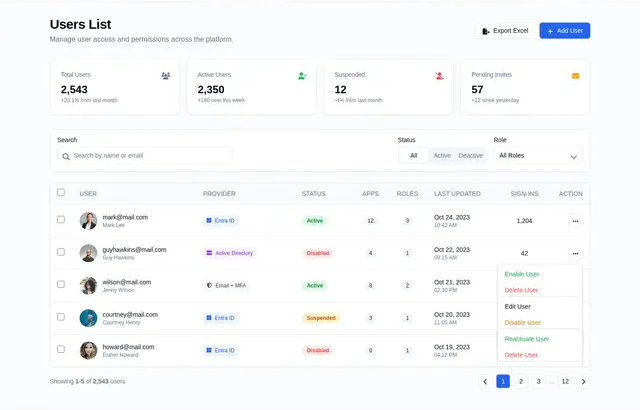
By providing powerful visibility into user accounts, user lifecycle management in IAM helps organizations protect their systems from unauthorized access and data breaches. Additionally, it can help improve the effectiveness of IT operations by simplifying account provisioning and de-provisioning processes.
IAM Lifecycle
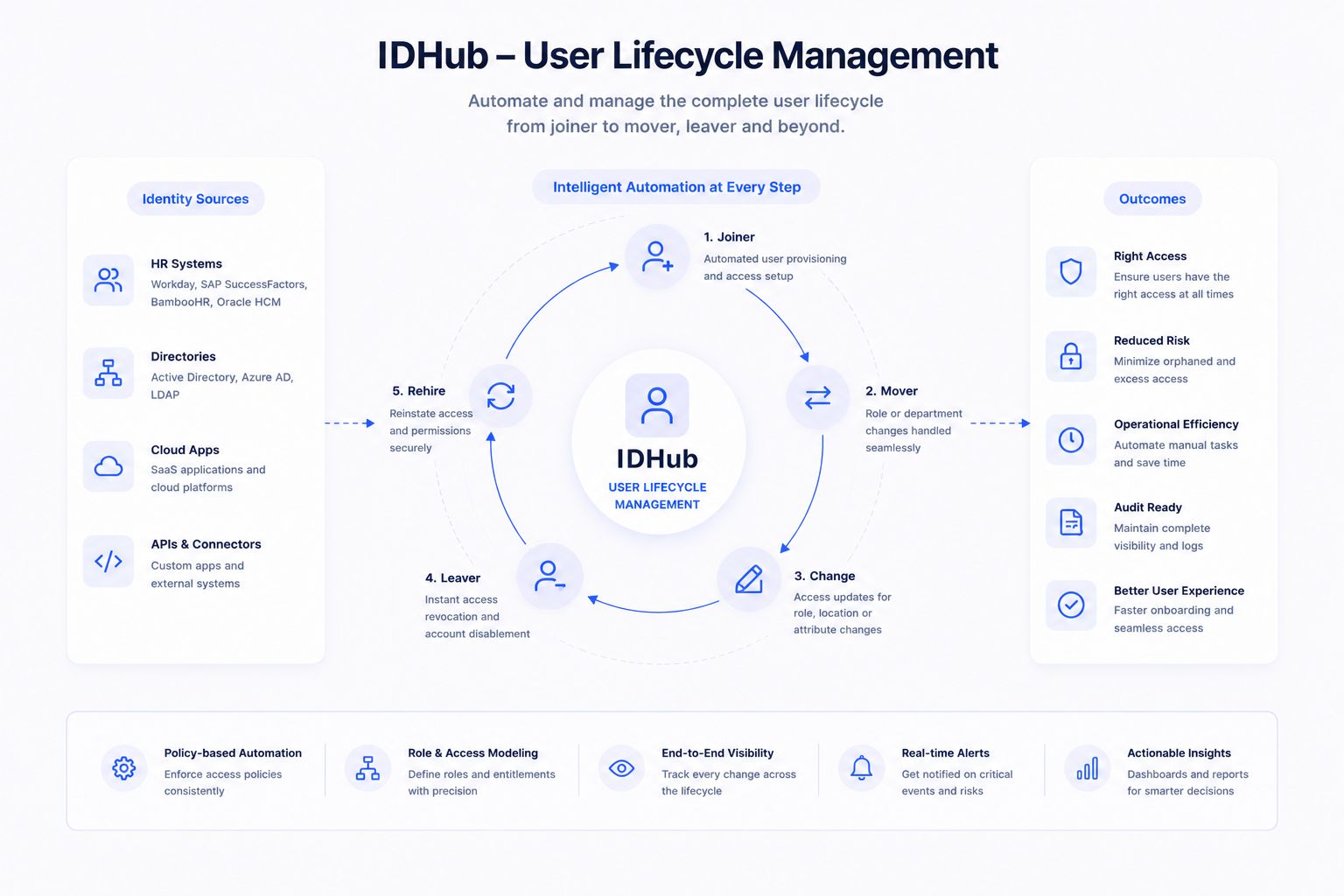
Here are the management steps that take place in the full identity lifecycle.
- New User Creation & Account Activation
- Automated Onboarding
- Account Transfers
- Deactivation, Deletion, and Archiving
User Lifecycle Management
User Lifecycle Management
Unlike other Identity Management Systems, IDHub simplifies the process of managing the full identity lifecycle; creating, managing, deactivating, and terminating user accounts.
IAM lifecycle management ensures only authorized users have access to sensitive business resources. Automating the provisioning and deprovisioning process saves critical IT time and puts focus on other important business tasks.
By implementing effective Identity Lifecycle Management, organizations can enhance security, streamline administrative processes, and ensure that access rights are aligned with the current roles and responsibilities of users within the organization.
Take a peek at IDHub yourself with no obligations.
New Employee Onboarding Process
Here are the management steps that take place in the full identity lifecycle for a new user onboard
New User Creation & Account Activation
New user accounts are generally created using connectors that integrate with the organization's source of truth, like Microsoft Entra ID (Formerly Microsoft Azure Active Directory) for example, to automate user account provisioning. Once the user account is created, it needs to be activated and made available for the user to access digital resources and perform necessary activities.
Unique Identifier and SignUp
After activation, the new user will receive a welcome email informing them of the next steps. IDHub includes many out-of-the-box emails and email templates, all are completely customizable, and if needed, new emails or templates can be created from scratch.
Day 0 Access
New user accounts are generally created using connectors that integrate with the organization's source of truth, like Microsoft Entra ID (Formerly Microsoft Azure Active Directory) for example, to automate user account provisioning. This process, along with Roles, instantly provides the newly created user access to only the resources needed for their specific job responsibilities.
Customize and MultiLayer Approval
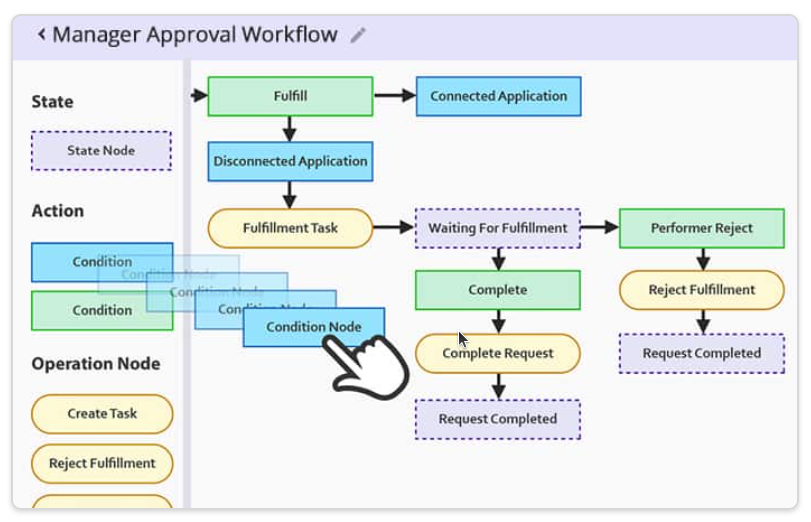
Some organizations give managers the authority to request to onboard new users. IDHub easily accommodates this with Access Requests. After the Service Request is initiated and the creation of a new user is approved, the new account will provision to the resources assigned through Roles. If using connectors, those accounts are automatically provisioned.
.png)
Duration of User Life
The user lifecycle involves managing the user account during its active lifecycle, including: Monitoring user activities, Updating access permissions, Disabling access etc.
- User Access Reviews
IDHub monitors and manages the user profile using Certification and Reporting. Certifications are used to audit and review user access, which can be scheduled or on-demand. Admins can instantly process revocations directly from the Certification Task. The Reporting tool is capable of collecting any data needed to determine any activities made by the user. That data can be exported into a PDF of XLS file for later use.
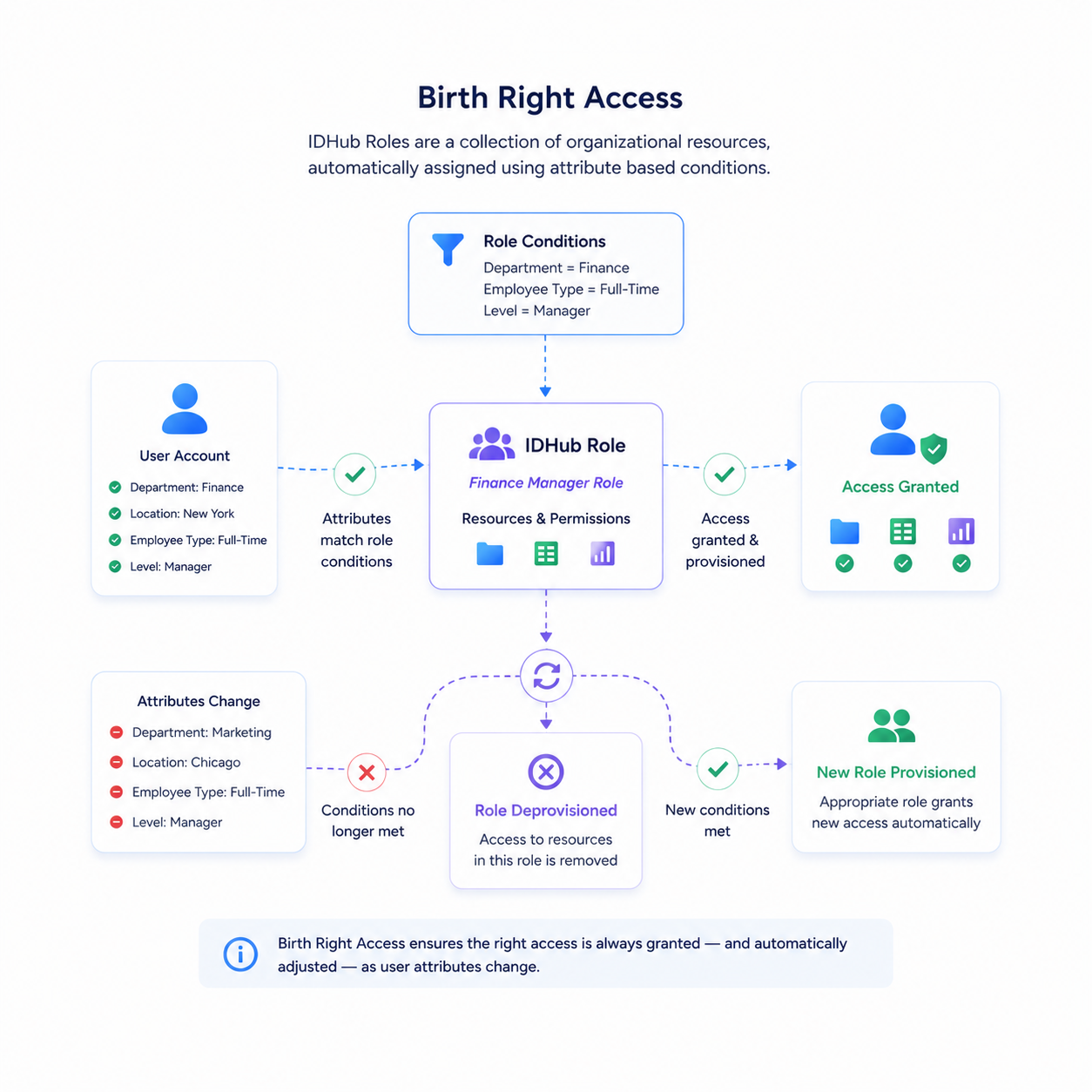
- Birth Right Access
IDHub Roles are a collection of organizational resources, generally automatically assigned to user accounts using attribute based conditions. When the user account attributes match the condition in the Role, access to the resources and permissions in the Role are granted and provisioned to that account. Consequently, when the user account attributes change and no longer meet the condition in that Role, the Role and the resources within it will deprovision, while the appropriate Role provisions the new access.
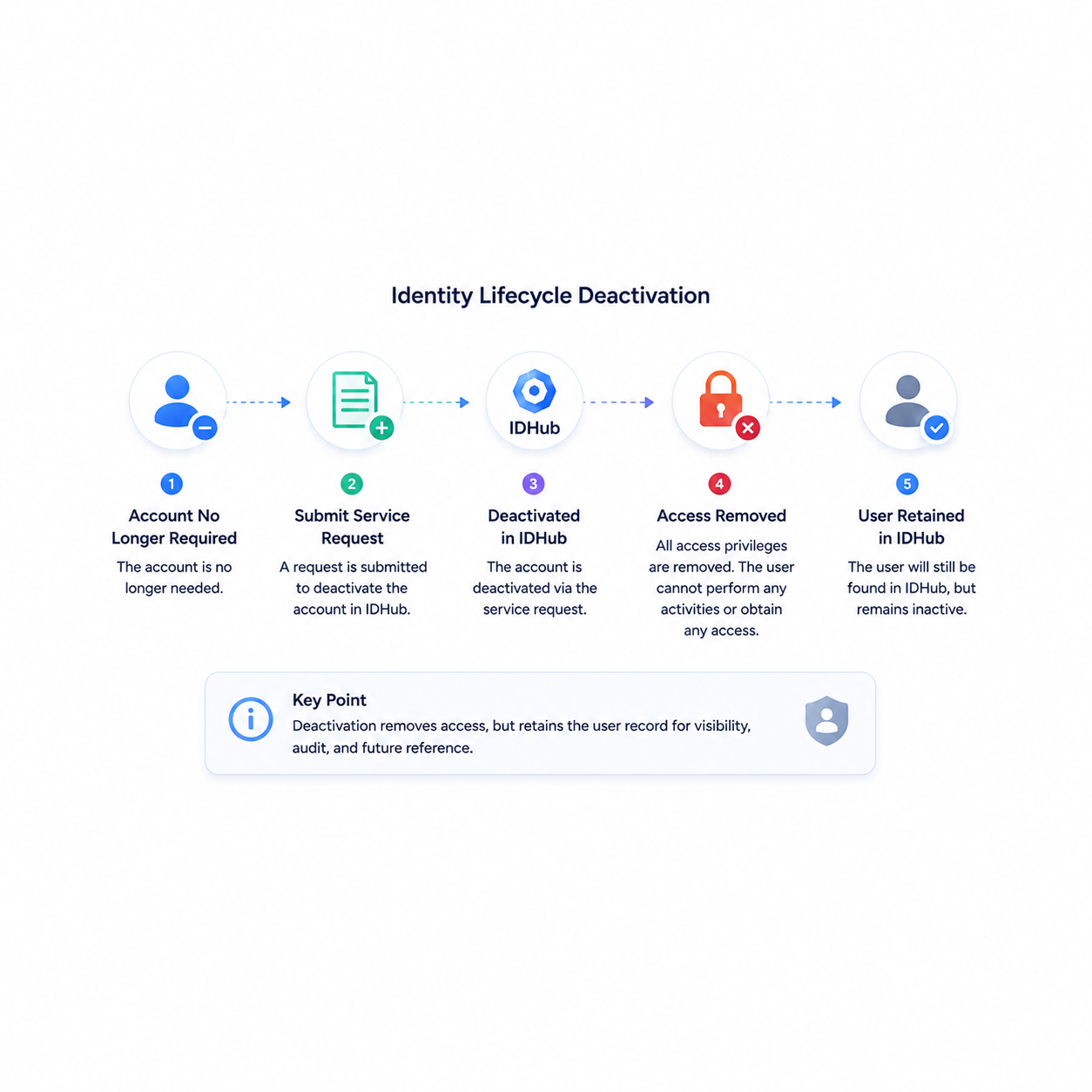
- Identity Lifecycle Deactivation
Once the account is no longer required, it may be deactivated in IDHub via the Service Request, and access privileges are removed. The user will still be found in IDHub, however the user will not be able to perform any activities or obtain any access.
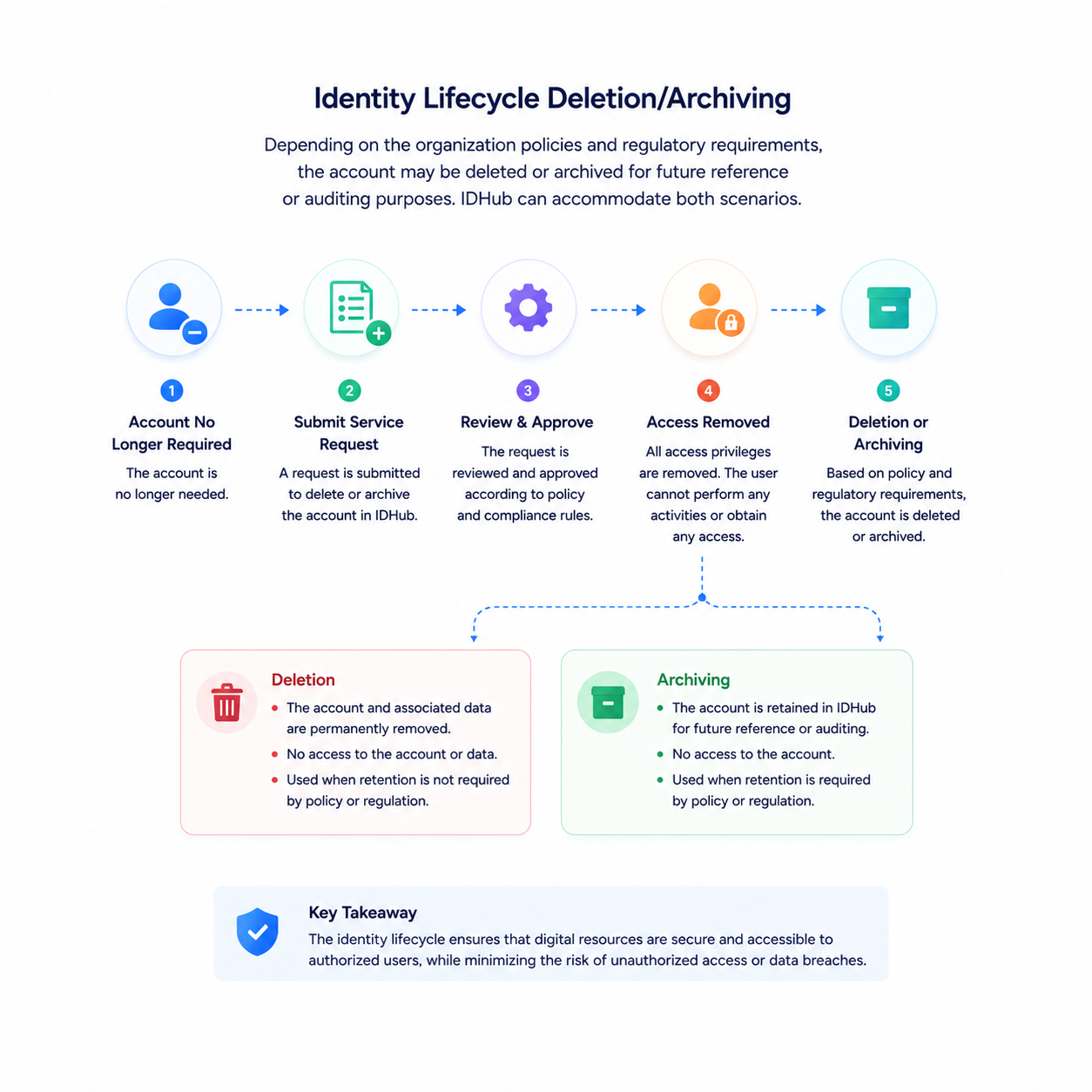
- Identity Lifecycle Deletion/Archiving
Depending on the organization policies and regulatory requirements, the account may be deleted or archived for future reference or auditing purposes. IDHub can accommodate both scenarios. Overall, the phases of the user account lifecycle are designed to ensure that digital resources are secure and accessible to authorized users, while minimizing the risk of unauthorized access or data breaches.
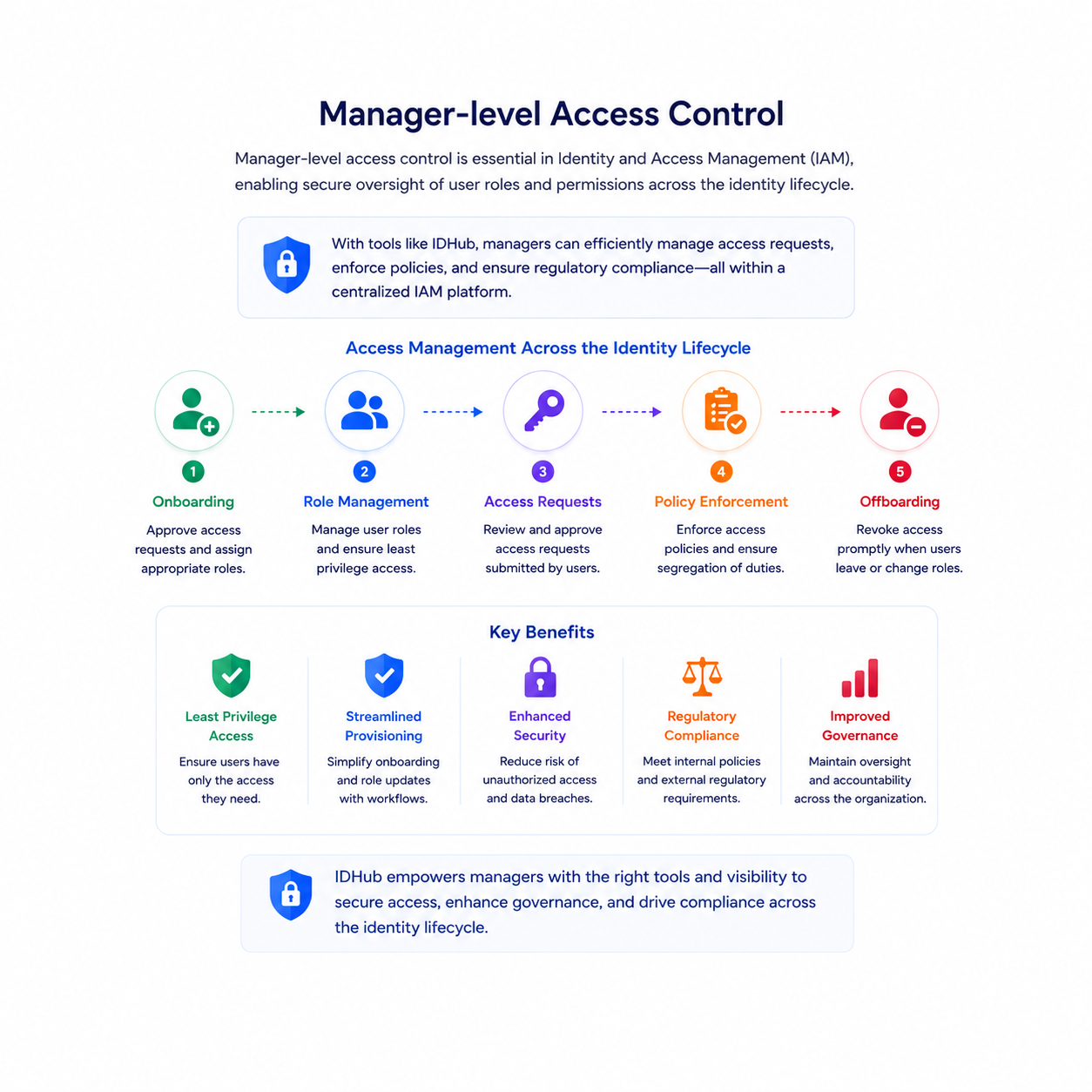
- Manager Level Access Control
Manager-level access control is essential in Identity and Access Management (IAM), enabling secure oversight of user roles and permissions across the identity lifecycle. With tools like IDHub, managers can efficiently manage access requests, enforce policies, and ensure regulatory compliance—all within a centralized IAM platform. This approach supports least privilege access, streamlines user provisioning, and enhances security and governance.
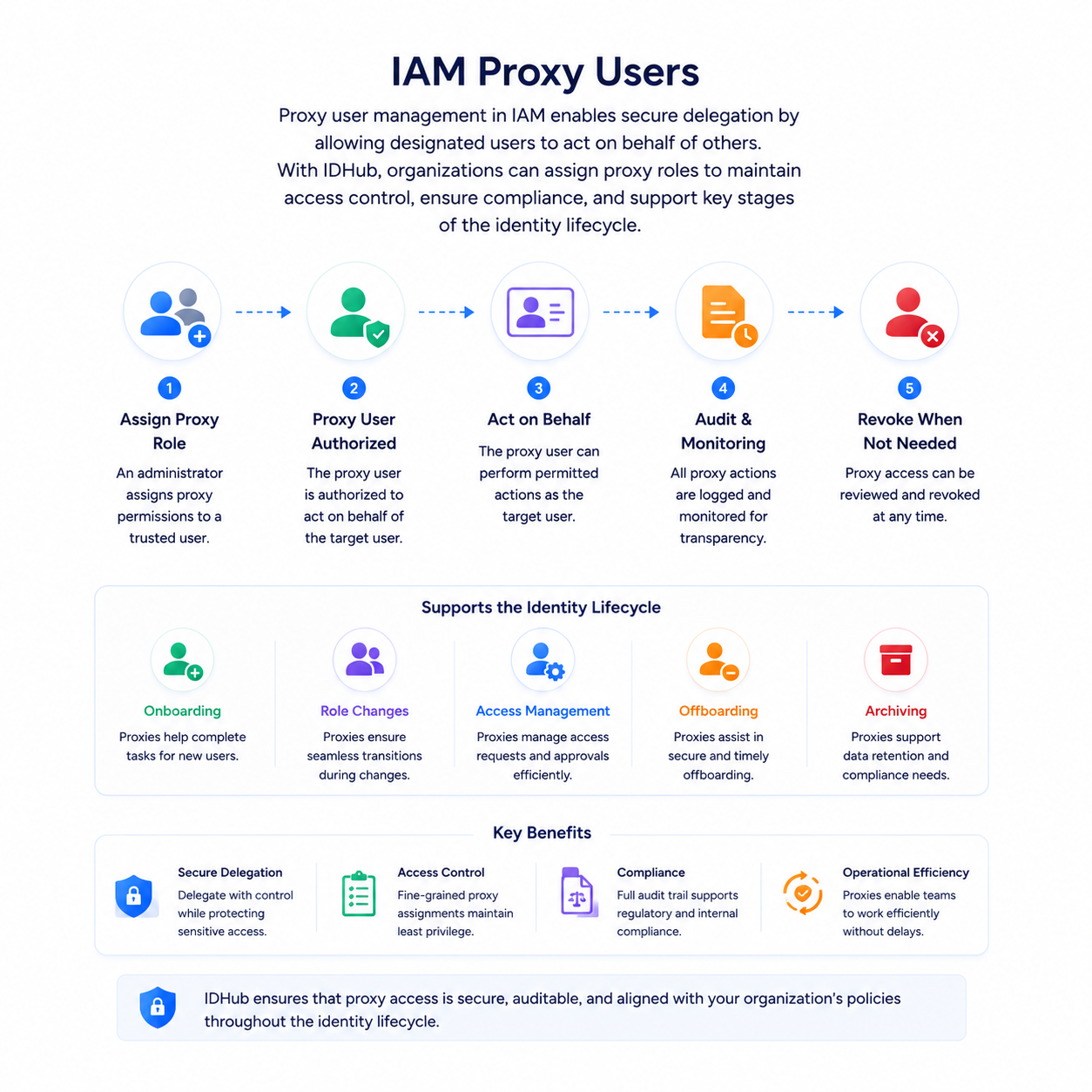
- IAM Proxy Users
Proxy user management in IAM enables secure delegation by allowing designated users to act on behalf of others. With IDHub, organizations can assign proxy roles to maintain access control, ensure compliance, and support key stages of the identity lifecycle.
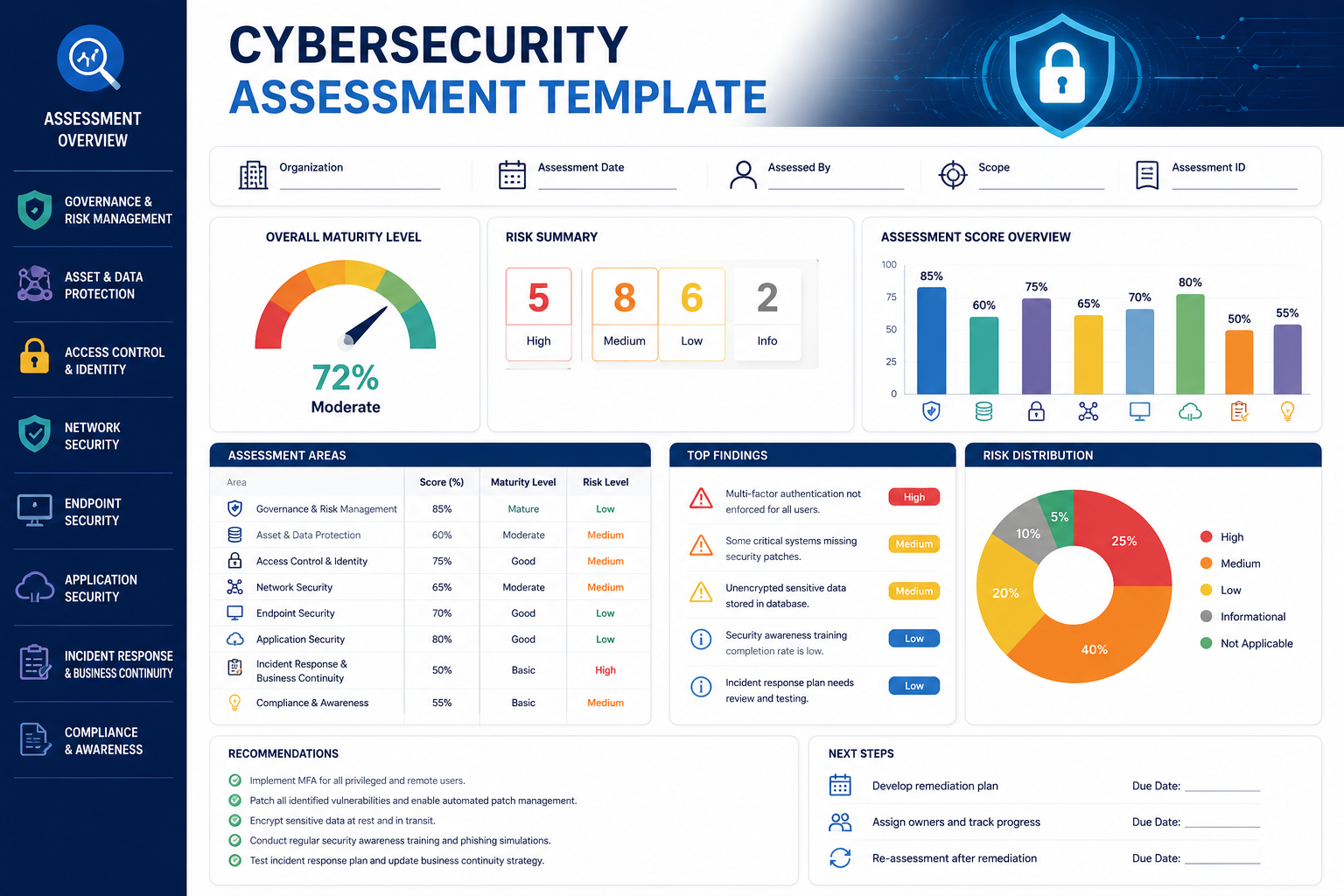
Cyber Security Tools